
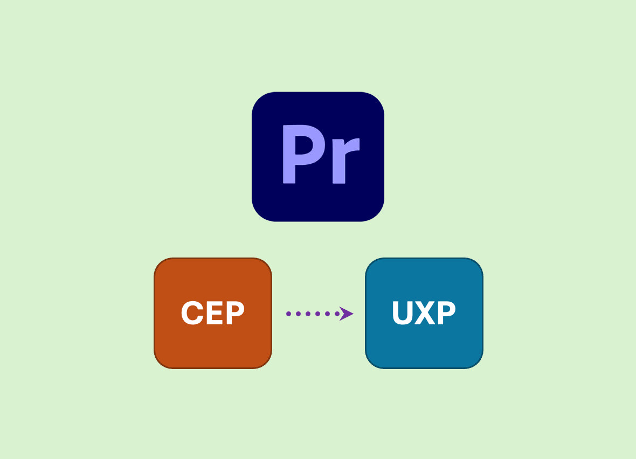
When Adobe introduced CEP (Common Extensibility Platform) as an integration service for Creative Cloud products, it represented a major advancement and facilitated the incorporation of these products into a media supply chain based on software-defined workflows. Tedial was a pioneer in integrating Premiere Pro and After Effects with a MAM.
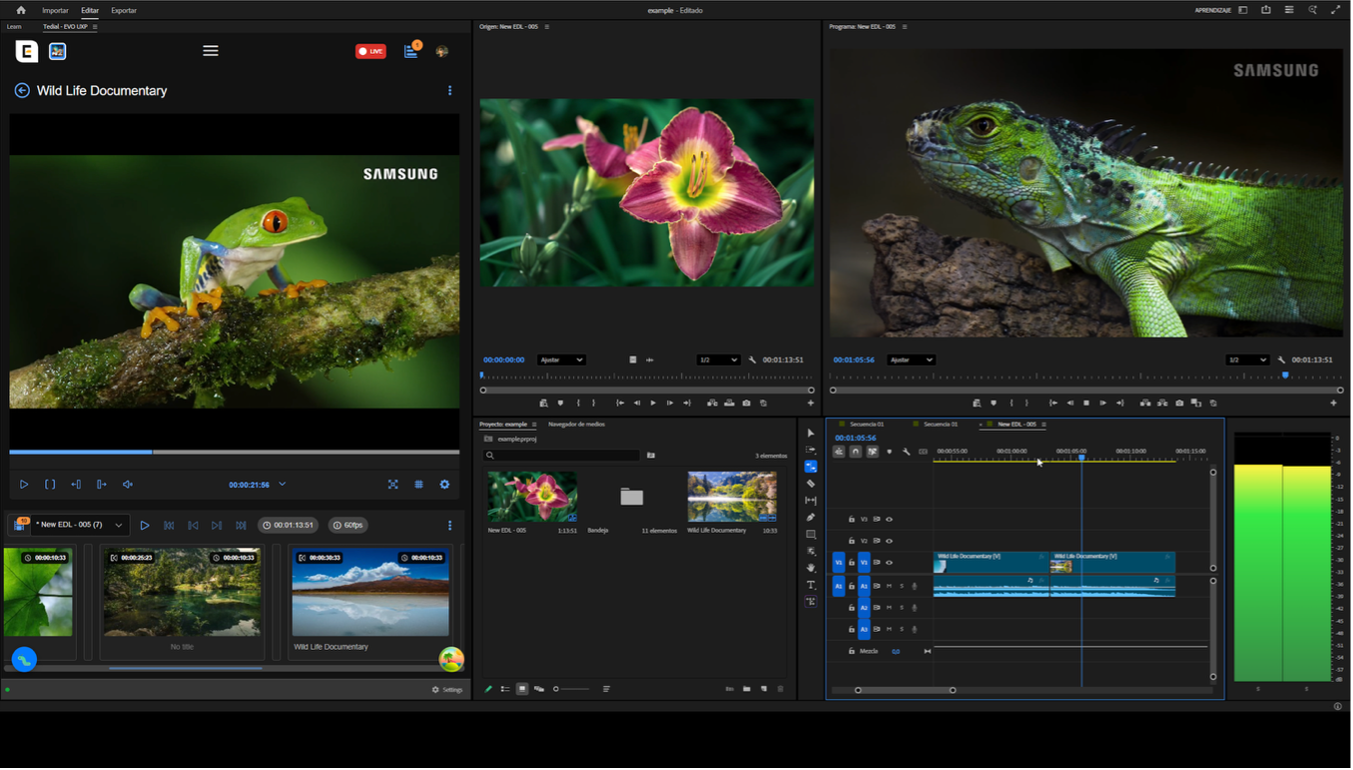
Now, with the aim of expanding the functional scope of EVO UI as a MAM system and reinforcing its position within professional workflows in the M&E market, we have developed an integration module based on UXP (Unified Extensibility Platform), a new technology that allows EVO UI to run as a native panel within Adobe Premiere Pro. A serie of functional and non-functional objectives have been developed, focused on both usability and the technical robustness of the integration.
This integration allows users to work directly from their usual editing tool, accessing the assets managed in EVO MAM, importing them into the editing project, editing them with all the capabilities of Premiere Pro (effects, transitions, sequences, etc.), and finally exporting the result back to the EVO MAM or third party systems, thus completing a fully automated workflow.
The result is a solution that provides operational flexibility, increased productivity, and a distinct added value to the EVO MAM product by integrating directly with one of the most widespread and used professional editing platforms on the market.
UXP as a strategic choice over CEP
Adobe has defined UXP (Unified Extensibility Platform) as the strategic platform of the future for developing extensions and plugins within its ecosystem of professional applications. Previous integration based on CEP (Common Extensibility Platform) allowed for the validation of workflows and integration concepts, but it relies on technologies now considered legacy and with limited medium-term viability.
UXP (Unified Extensibility Platform)
UXP is Adobe’s latest extension platform, designed as a modern, lightweight, and secure solution for plugin development. UXP leverages JavaScript with a React-like component system, allowing developers to create robust, responsive UI components without compromising performance. Adobe is migrating from CEP (Common Extensibility Platform) to UXP, positioning it as the future standard for developing cross-platform plugins for Adobe applications. Benefits of UXP:
- Improved Performance: UXP is optimized for performance, running natively and integrating more efficiently with Premiere Pro than CEP extensions.
- Enhanced Security: UXP extensions are sandboxed and isolated, providing a secure environment that minimizes the risk of interference between plugins.
- Simplified UI Development: UXP supports a rich UI framework similar to React, making UI creation smoother and more modern.
- Cross-Compatibility: UXP extensions work consistently across different Adobe apps, supporting a unified plugin experience.
CEP (Common Extensibility Platform)
CEP is the older Adobe extension platform, primarily based on HTML5, CSS, and JavaScript. It uses Chromium Embedded Framework (CEF) to render plugin UIs, supporting a wider range of Adobe apps. However, with its reliance on CEF, CEP suffers from performance bottlenecks and compatibility issues with future versions.
Adobe has phased out CEP in favor of UXP to deliver a faster, more secure experience. Why Adobe is switching from CEP to UXP:
- Performance Gains: CEP extensions can slow down Adobe apps, while UXP’s streamlined architecture provides a more efficient runtime.
- Security Enhancements: UXP’s sandboxed approach reduces the risk of vulnerabilities that can arise in the less isolated environment of CEP.
- Modern Development Practices: UXP’s compatibility with modern JavaScript features and React-based UI makes development faster and more accessible to a broader range of developers.
The use of CEP presents a number of structural limitations that affect both the product and its future evolution. Furthermore, it is a platform undergoing progressive deprecation by Adobe, with less capacity for evolution and adaptation to new versions of the host software. These limitations make CEP an unsuitable foundation for medium and long term strategic developments.
In short, the adoption of UXP offers substantial improvements from a technical and functional standpoint. As the platform is officially supported and actively evolving by Adobe, it provides greater stability, performance, and security. It also offers better visual and functional integration, providing a native user experience within Adobe apps.
In this context, the decision to integrate EVO-UI on UXP is not merely a technological update, but a strategic decision aligned with the natural evolution of the Adobe ecosystem. UXP allows the integration of EVO MAM to grow at the same pace as the capabilities Adobe incorporates into its products.
NoCode EVO-UI Design
The goal of user interface (UI) design is to visually guide the user through a product’s interface. It’s about creating an intuitive experience that doesn’t require excessive mental effort. This involves removing unnecessary elements, simplifying complex interactions, and prioritizing content based on user needs, while also enhancing the overall aesthetic appeal and facilitating navigation and interaction with the interface
NoCode UI editing, combined with a form builder, provides a user-friendly interface that doesn’t require users to have coding knowledge. This simplicity makes them accessible to a wide range of users, including those without technical backgrounds.
EVO MAM includes a NoCode UI Builder that allows the design of components and the definition of specific screens for different access systems: web clients, mobile devices, and Premiere Pro UXP panels, among others. A component is a reusable, independent, self-contained functional element that enables designers to assemble complete interfaces visually, without writing code.
For the design and customization of different screens, the user has a library of components organized by functionality and context of use. Each component encapsulates a specific functionality—for example: video players, metadata viewers, timeline annotation tools, or media file managers—and can be freely combined to create highly customized screens tailored to user needs.
Advanced Screen Customization for Premiere Pro
NoCode UI Builder now includes a dedicated scope for Premiere Pro integrations, allowing customers to customize the settings for available actions, define specific layouts, and adjust the navigation and behavior of components.
Look & Feel: Visual Consistency Through Theming
A specific style theme has been designed, aligned with the visual aesthetic of Adobe Premiere Pro. This theme is automatically applied when EVO UI runs as a UXP plugin, ensuring visual consistency with the environment, creating a sense of native integration within Premiere Pro, and improving the user experience.
These customization and configuration capabilities can be stored and personalized, allowing for adaptations for each customer or environment.
Features
Import assets and their markers from EVO MAM into an active Premiere Pro project. Import EDLs as Premiere Pro sequences, including markers of each segment. This process includes the automatic import of all clips involved in the EDL, their markers, and the translation of the EDL structure into a Premiere Pro sequence. This is done using the official Adobe Premiere Pro API, ensuring compatibility and stability.
Media file imports are based on a publishing service using external locations, abstracting the protocol and physical publishing mechanism and presenting the media to the user as if it were a shared drive (NAS) accessible from the system. From the user’s perspective, the experience is transparent and consistent with standard editing workflows.
The process of exporting sequences from Adobe Premiere Pro to EVO MAM incorporates a set of advanced options that allow you to adapt the result to different workflows and operational needs: creation or updating of assets, export of markers associated with the sequence, and custom selection of rendering presets.
The export process automatically adapts depending on where the sequence was rendered. If the rendering takes place on the user’s local machine, the resulting file is sent to EVO MAM using the system’s native file uploader. If the rendering takes place on a shared drive, uploading the file is unnecessary because EVO MAM accesses the rendered file directly from the shared location.
The UXP plugin includes a configuration section that makes it reusable in any EVO MAM deployment, without rigid dependencies. Simply define the URL of the EVO UI instance you will be working with and configure the paths of the shared drives used in the import and export processes. In the coming months, we plan to expand the functionality of the EVO MAM – Premiere Pro integration to include archiving and retrieving Premiere Pro projects.
Conclusions
The integration of EVO-UI on top of UXP should be understood as a long-term strategic decision, not just an improvement over CEP. UXP provides a solid, modern foundation aligned with Adobe’s vision that:
- Ensures technological continuity.
- Facilitates the product’s functional evolution.
- Improves and strengthens security
- Opens new opportunities for integration and growth.
In this sense, UXP acts as a key enabler for the evolution of EVO as a fully integrated MAM system within professional creative workflows. We started with extensive experience integrating with CEP; now we have a clear understanding of the enormous advantages offered by Adobe’s UXP platform. Those who don’t make this change will soon face problems.
Tedial remains committed to modernizing the industry through innovative tools and ongoing support for a resilient media ecosystem.
For more information, contact marketing@tedial.com
About Tedial
Tedial is a global innovation-focused tech company leading next-generation AI-powered media asset management (EVO MAM) with the first no-code media integration platform (smartWork), designed to accelerate digital transformation, upgrade your business, scale your media supply chain, and focus on intelligent, resilient, cloud-smart hybrid media solutions.